
Tightening,
in one station.
The All-in-One Tightening Workstation combines torque-controlled tools, on-screen work instructions, camera-based position detection, records and the frame, built to fit each process.
Order it in pieces, and the integration is left to you.
A tightening process that controls torque and keeps records needs tools, controllers, a work-instruction screen, position detection, a way to keep records, a frame, fixtures and electrical work. Order these from separate companies, and aligning the specifications, connecting the devices and isolating faults are left to the buyer.
We design the whole station as one company and deliver it running.
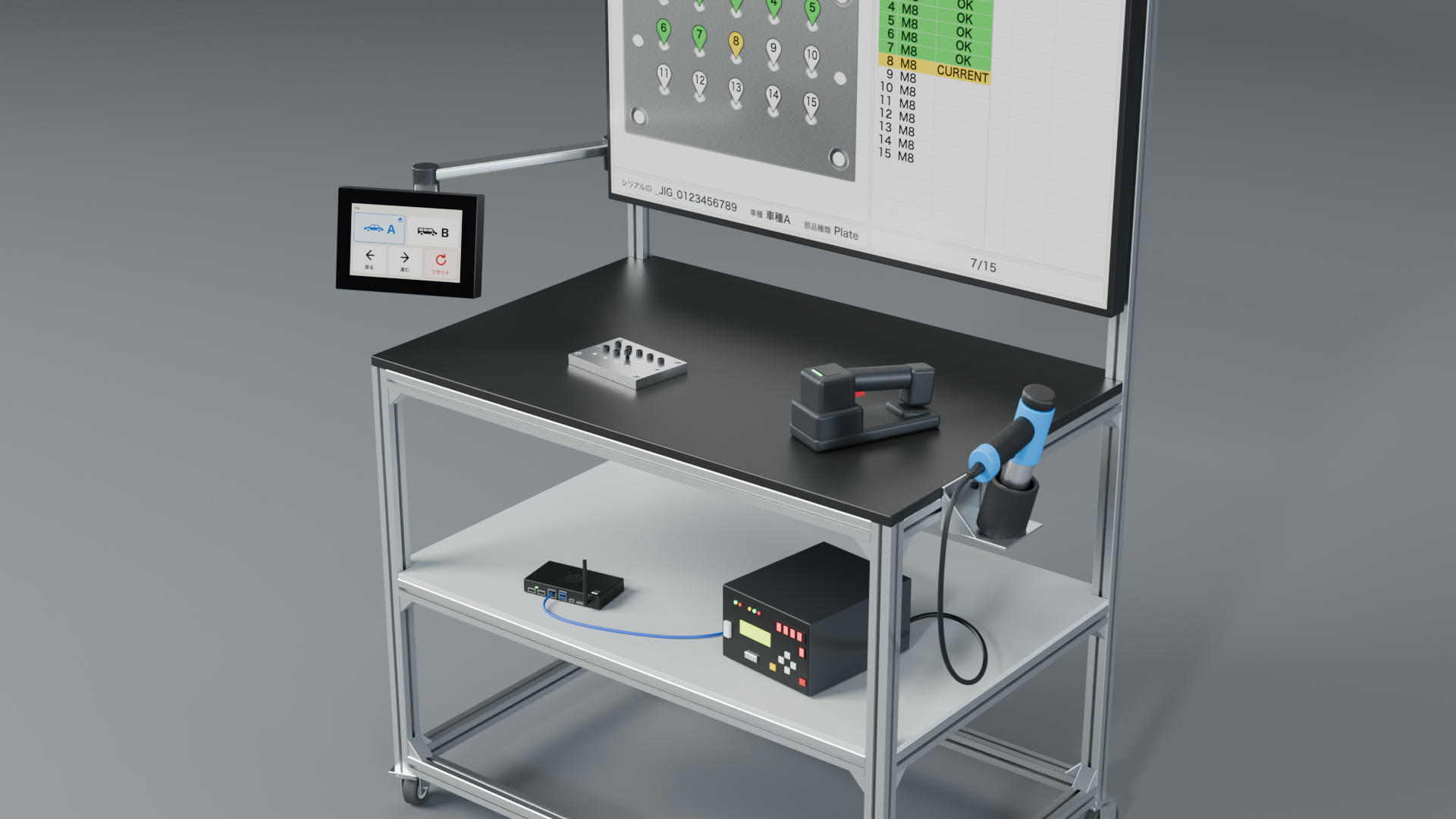
What is in one station
01
Tightening tool
A torque-controlled tool and controller that can be driven from an external computer. Torque is judged for every bolt.
02
Work-instruction screen
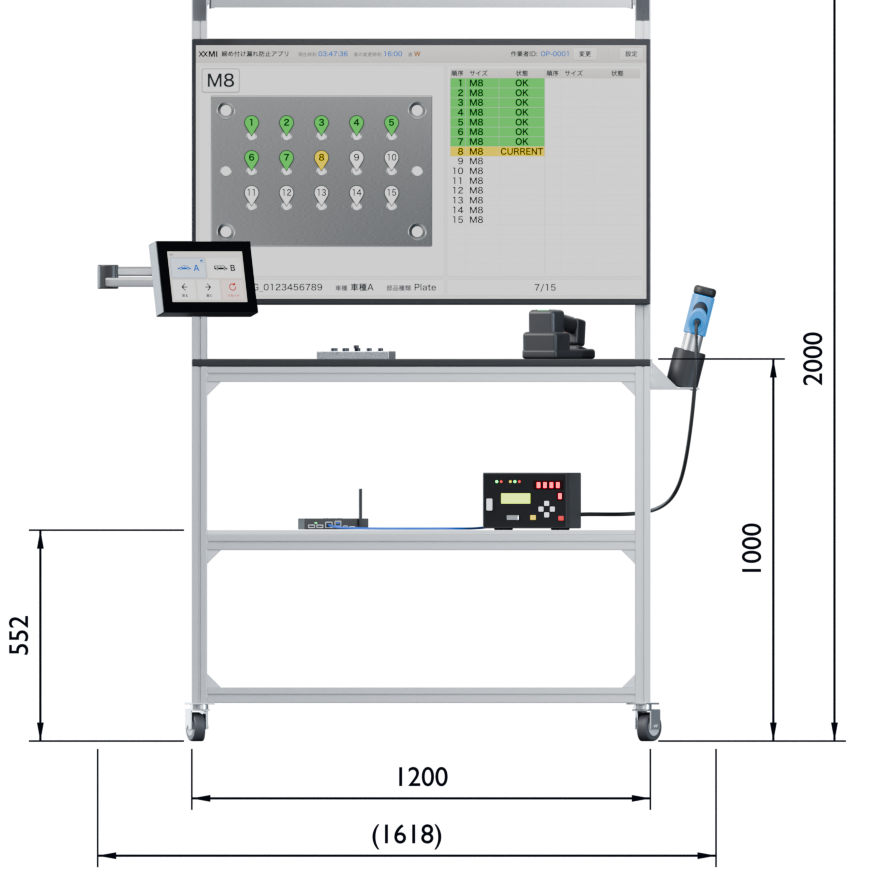
Shows the position and order of the next bolt, OK / NG for each bolt, and progress. The display supports multiple languages.
03
Touch panel
Model changeover, back and forward, reset. Operated at hand by the worker.
04
Camera and image recognition
Detects from the camera image which bolt has been tightened.
05
Control and records
An industrial computer connects the tool, screen, camera and code reader, and records the results by serial ID.
06
Frame and accessories
An aluminum-profile frame, task lighting, a tool holder and a fixture for the workpiece. On casters, so it can be relocated.
One company, start to finish.
01
Any tool
We support torque-controlled tools that can be driven from an external computer, regardless of maker. Tools and controllers you already own can be used if they can communicate with an industrial computer.
02
Position confirmed by image
Which bolt was tightened is detected from the camera image, using the image recognition (OpenCV, VLM) developed in our Physical AI work.
03
Rebuilt for each process
The industrial computer, screens, frame and accessories are designed for each process. There is no fixed pattern for dimensions, the number of bolts, the items on screen or the display language.
04
Software, communication and automation included
Screen design, communication with host systems and existing equipment, and robotic automation are built by the same team as the hardware.
05
Site work included
From work before installation, such as bringing in power, through installation and start-up. Construction is carried out under our construction license, and electrical work by our in-house electricians.
06
Records are kept automatically
Tightening results are stored against the serial ID without the worker writing anything down. In an audit or a defect investigation, the affected products can be traced.
07
The same specification at multiple sites
Stations built to a common specification can be delivered to multiple plants and sites.
08
Track record in production
Installed in the production process of a major automaker. Integrated with torque-controlled tools and industrial code readers from major makers.
Read, tighten, record.
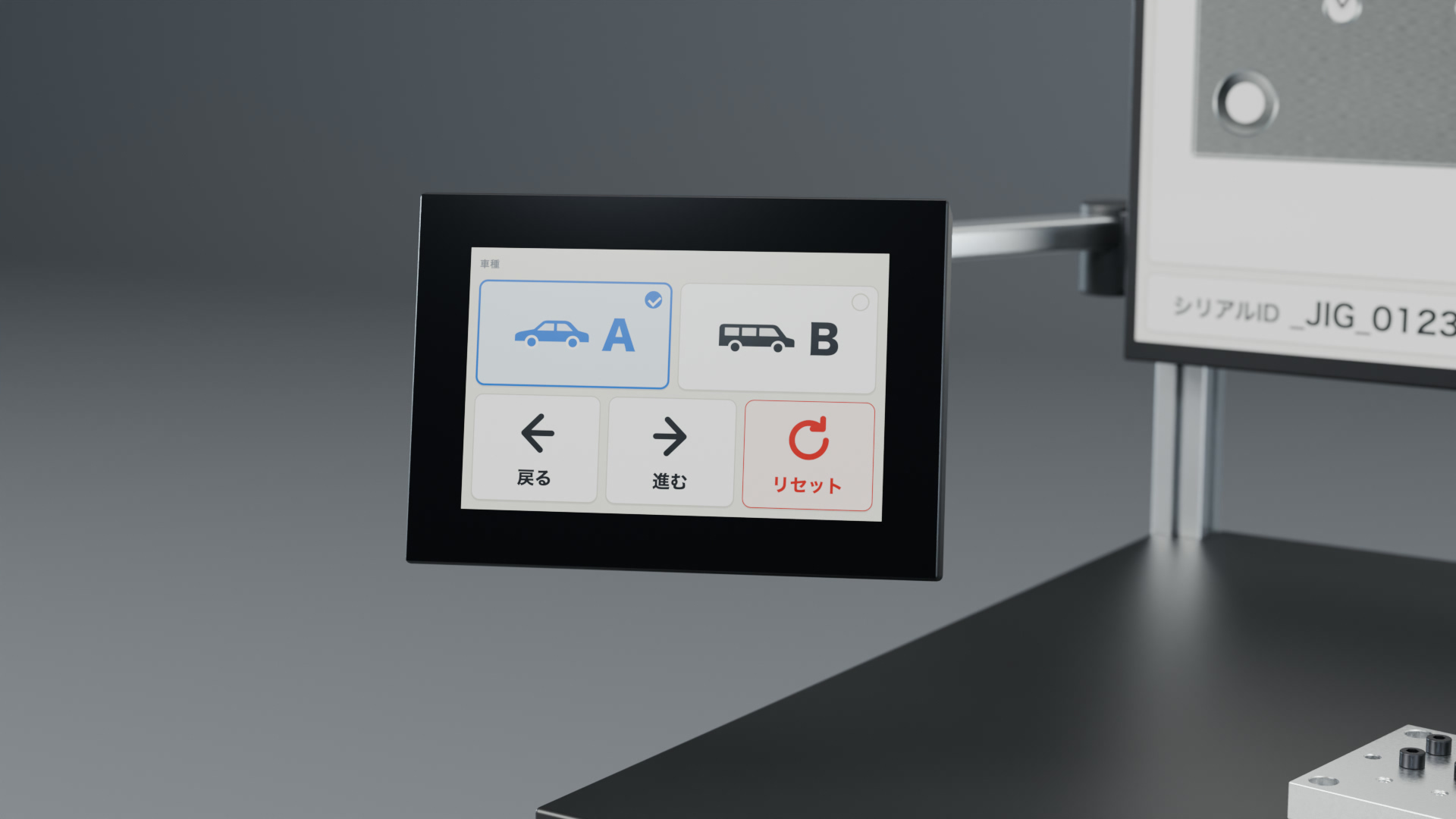
- Select the model and read the code on the workpiece. The tightening positions and order switch accordingly, and a part for a different model is rejected.
- Tighten in the order shown on screen. The tool judges the torque of each bolt, and the camera confirms the position.
- When every bolt is OK, the job is complete. The results are stored against the serial ID.
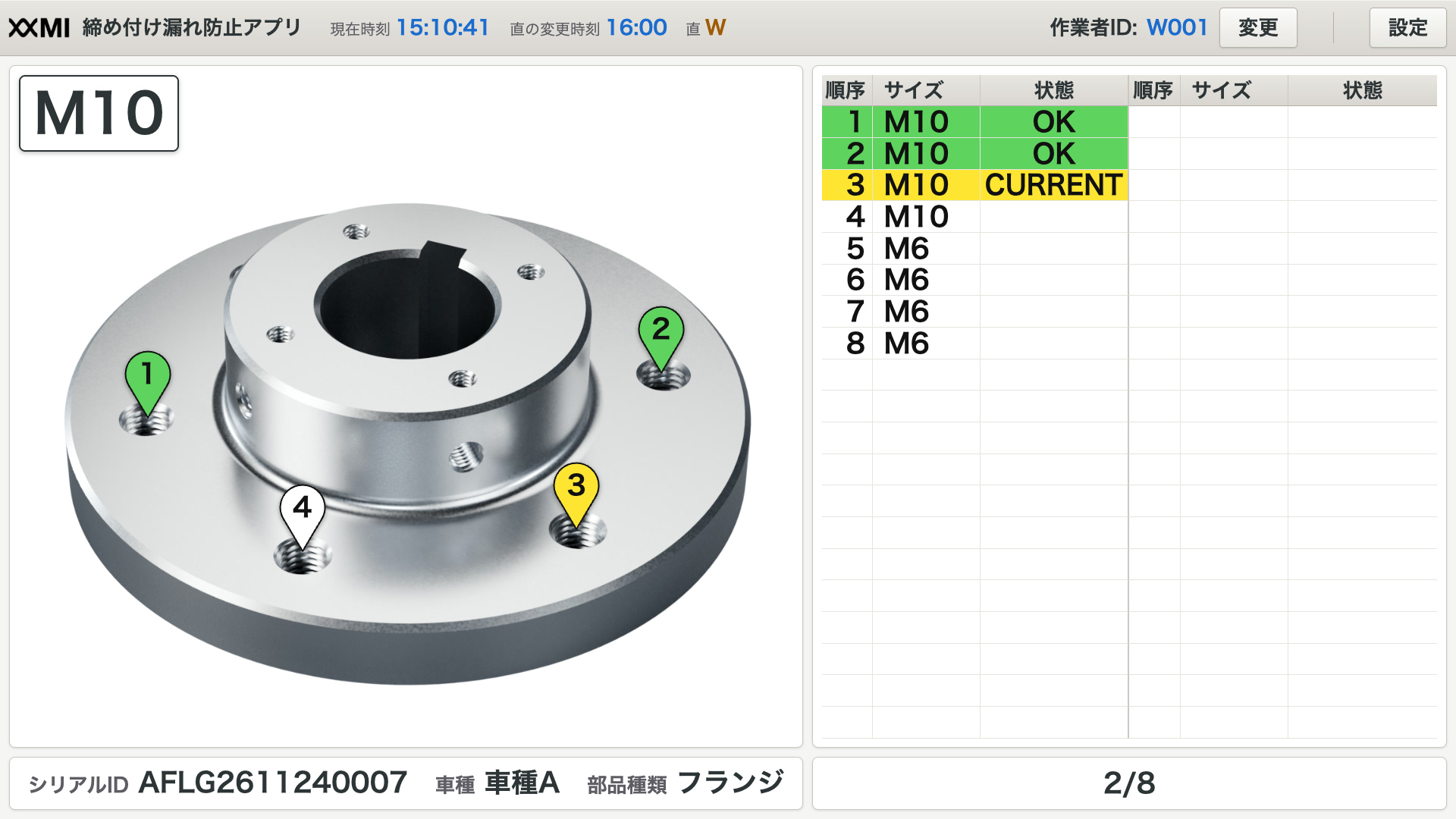
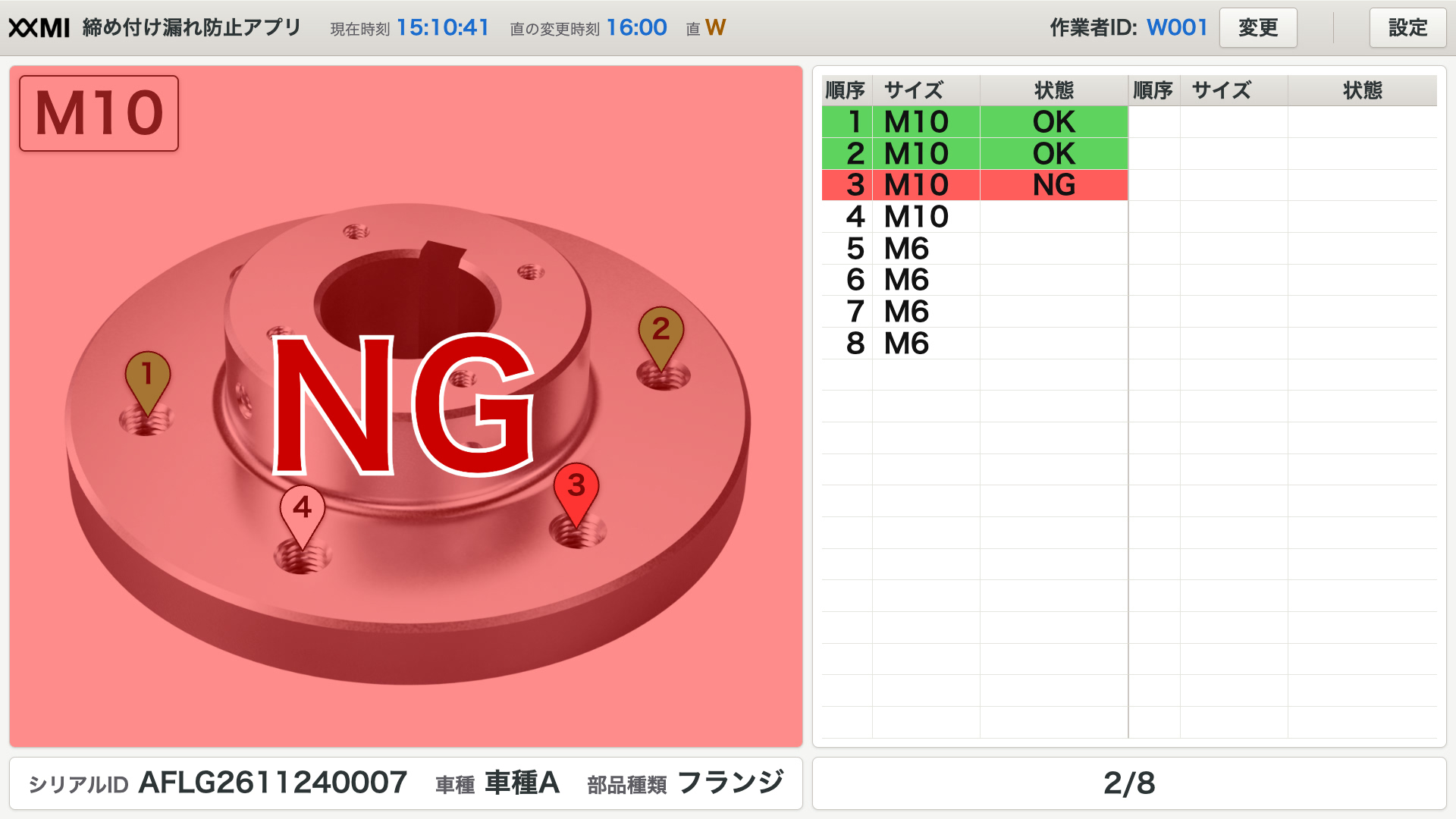
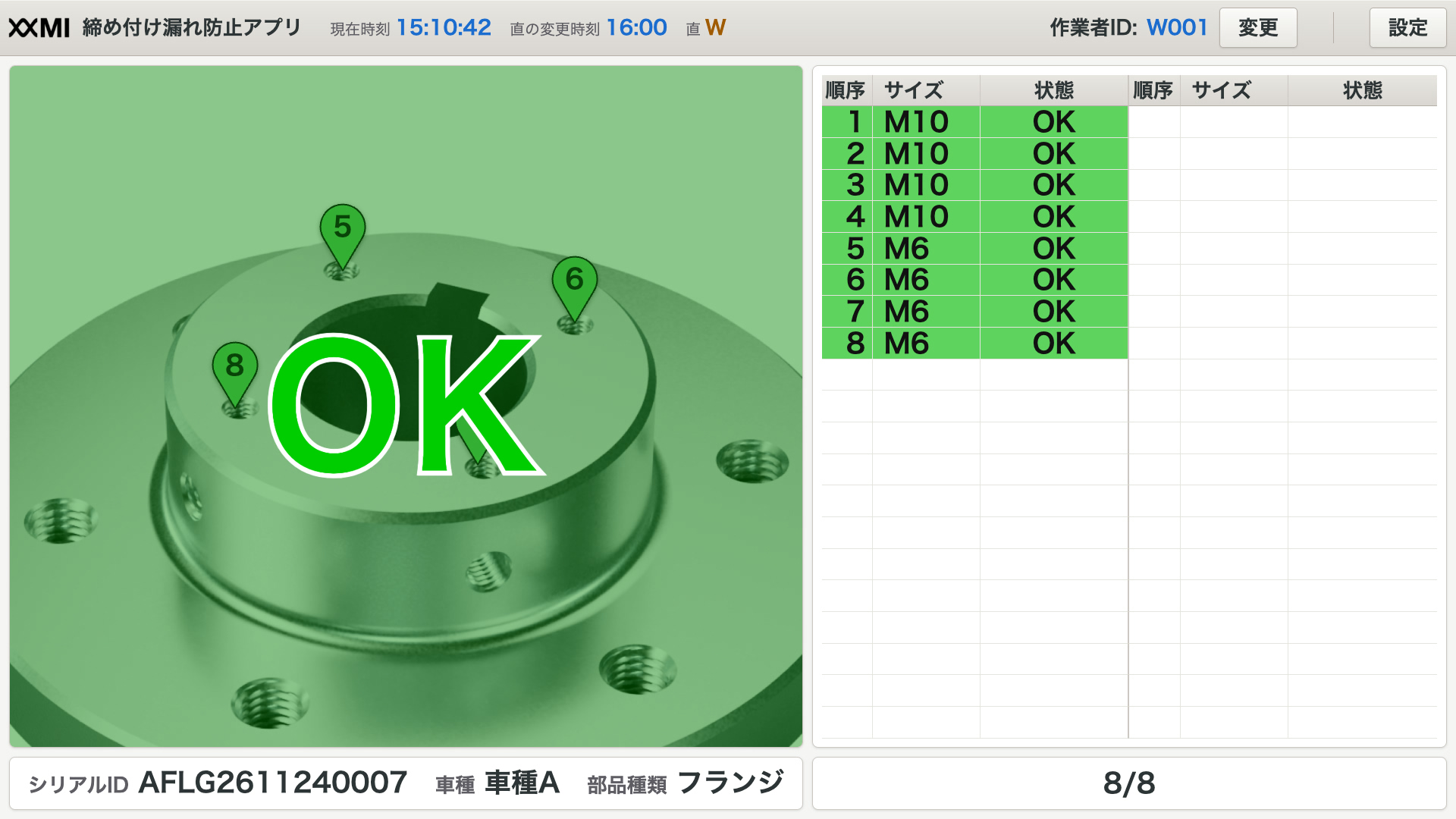
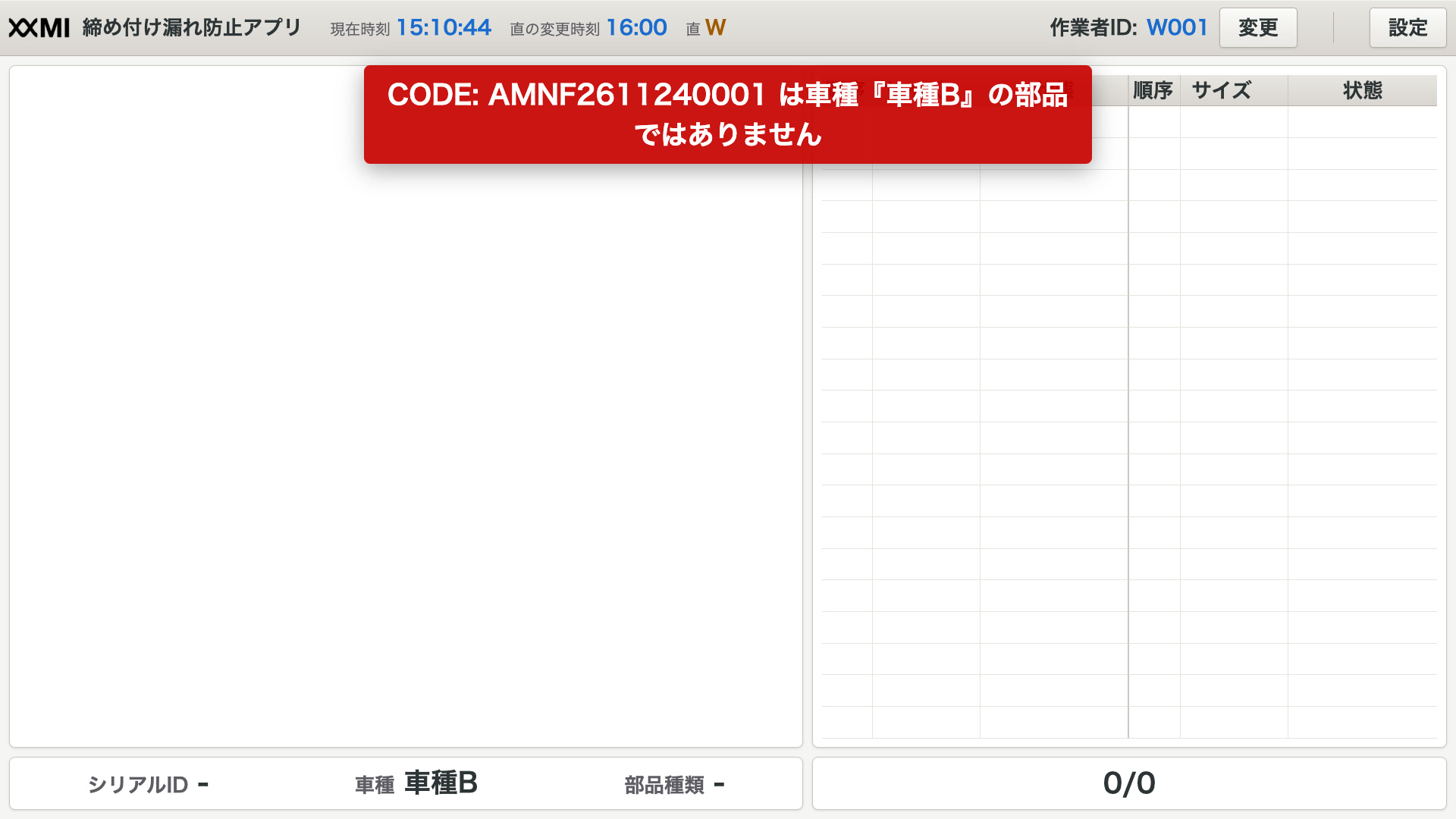
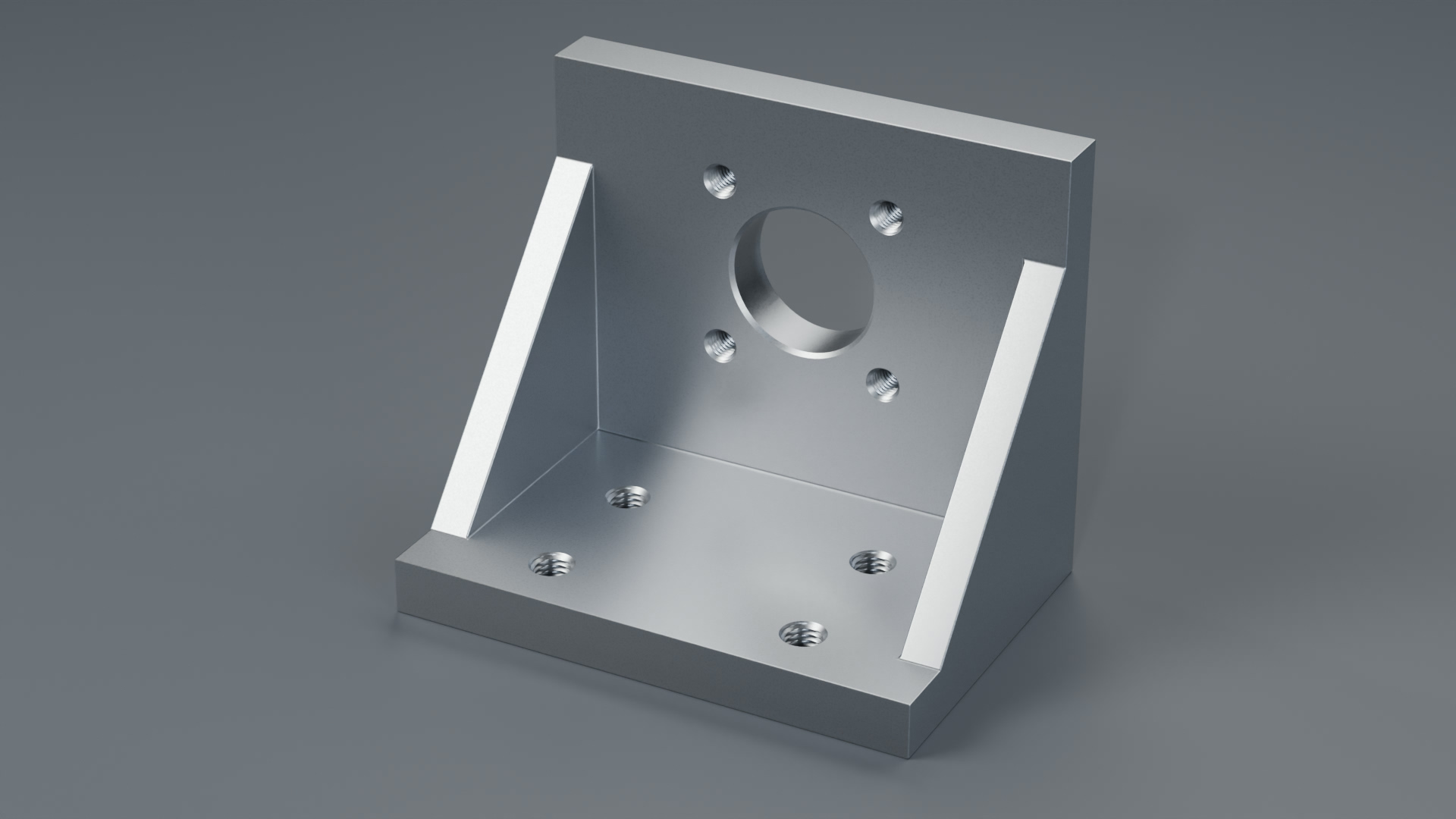
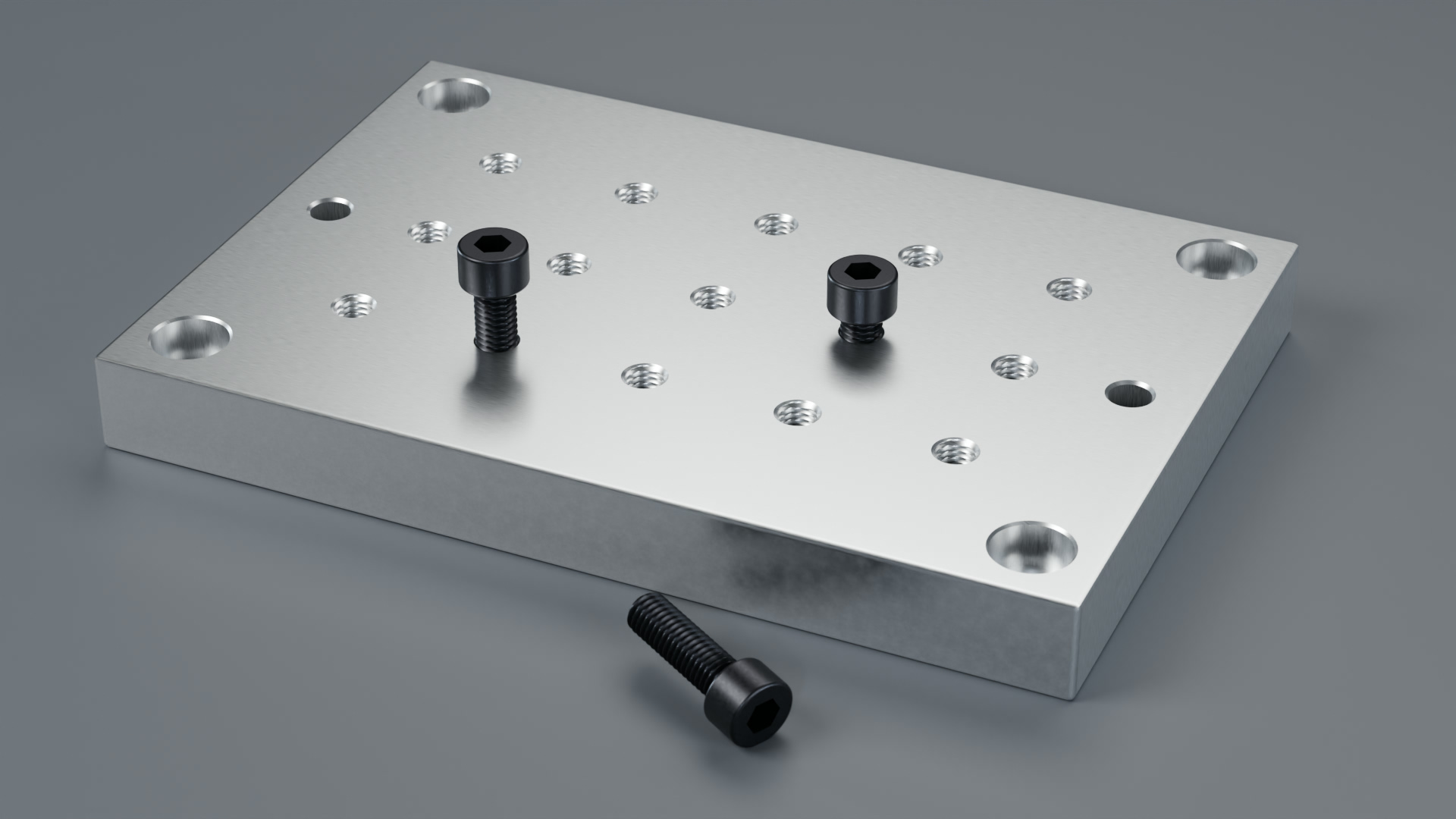
Each workpiece has its own procedure.
Tightening positions, order and bolt sizes are registered for each workpiece. Flanges, manifolds, brackets, plates: different shapes are handled on the same station.
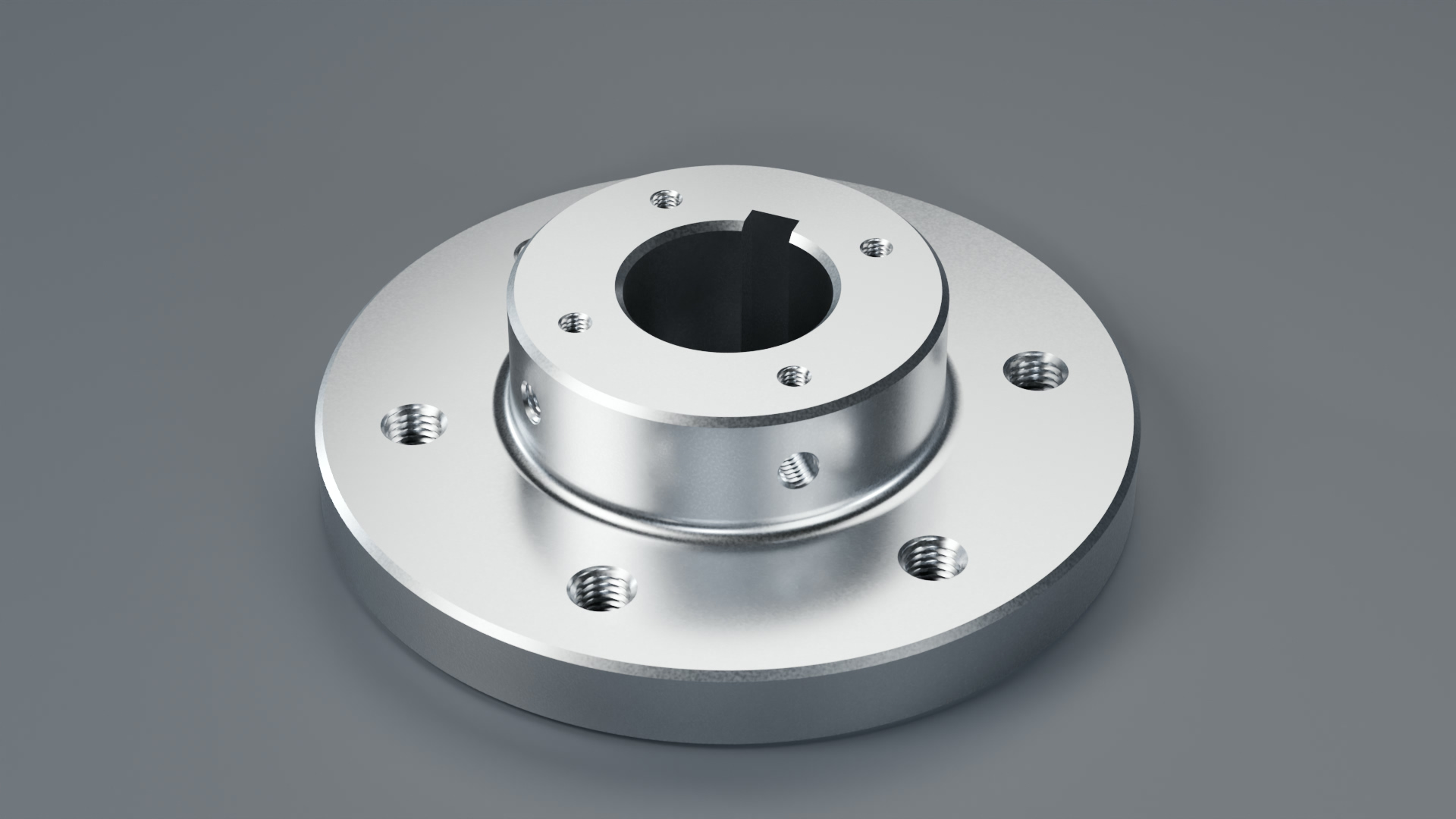
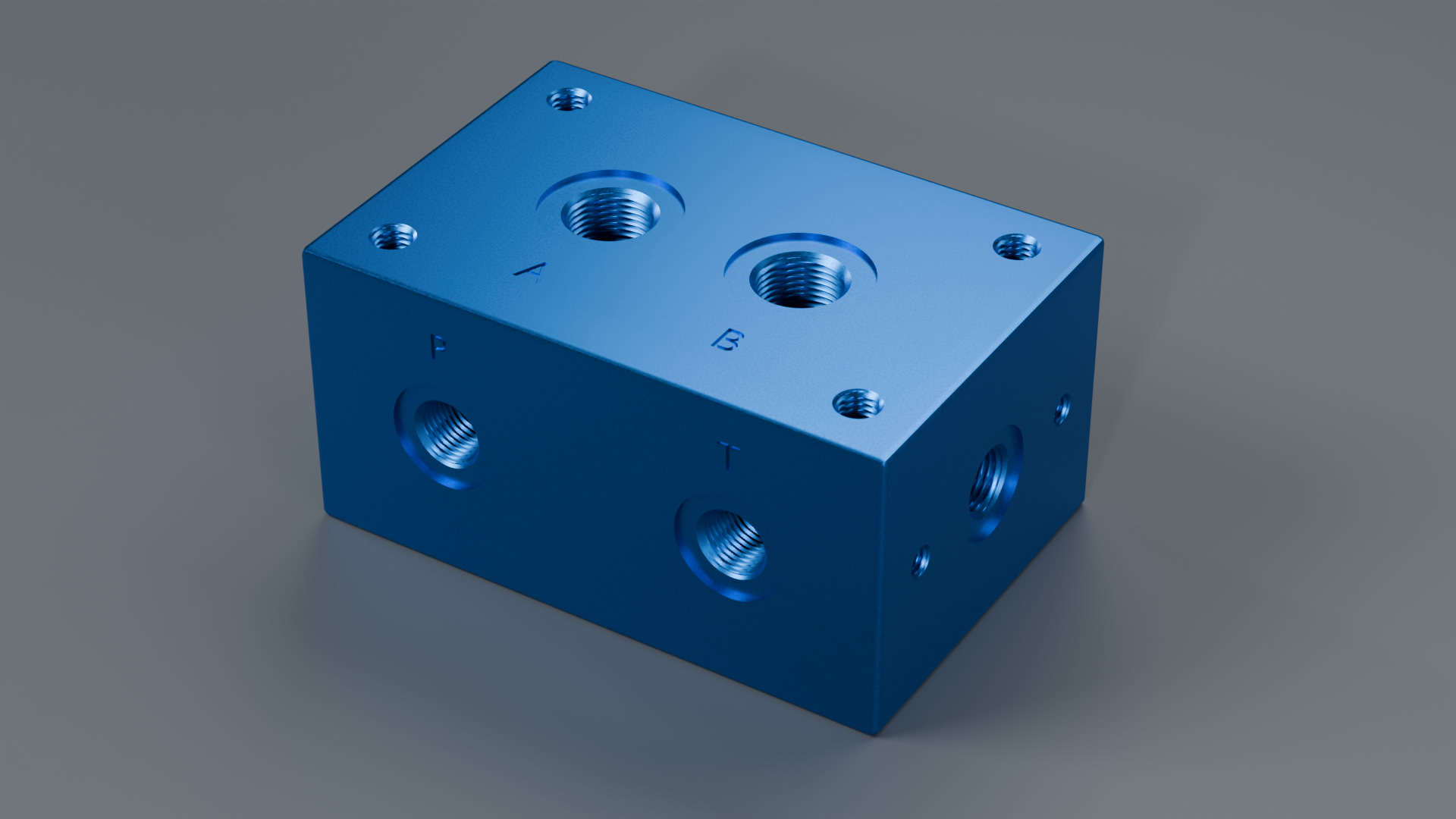
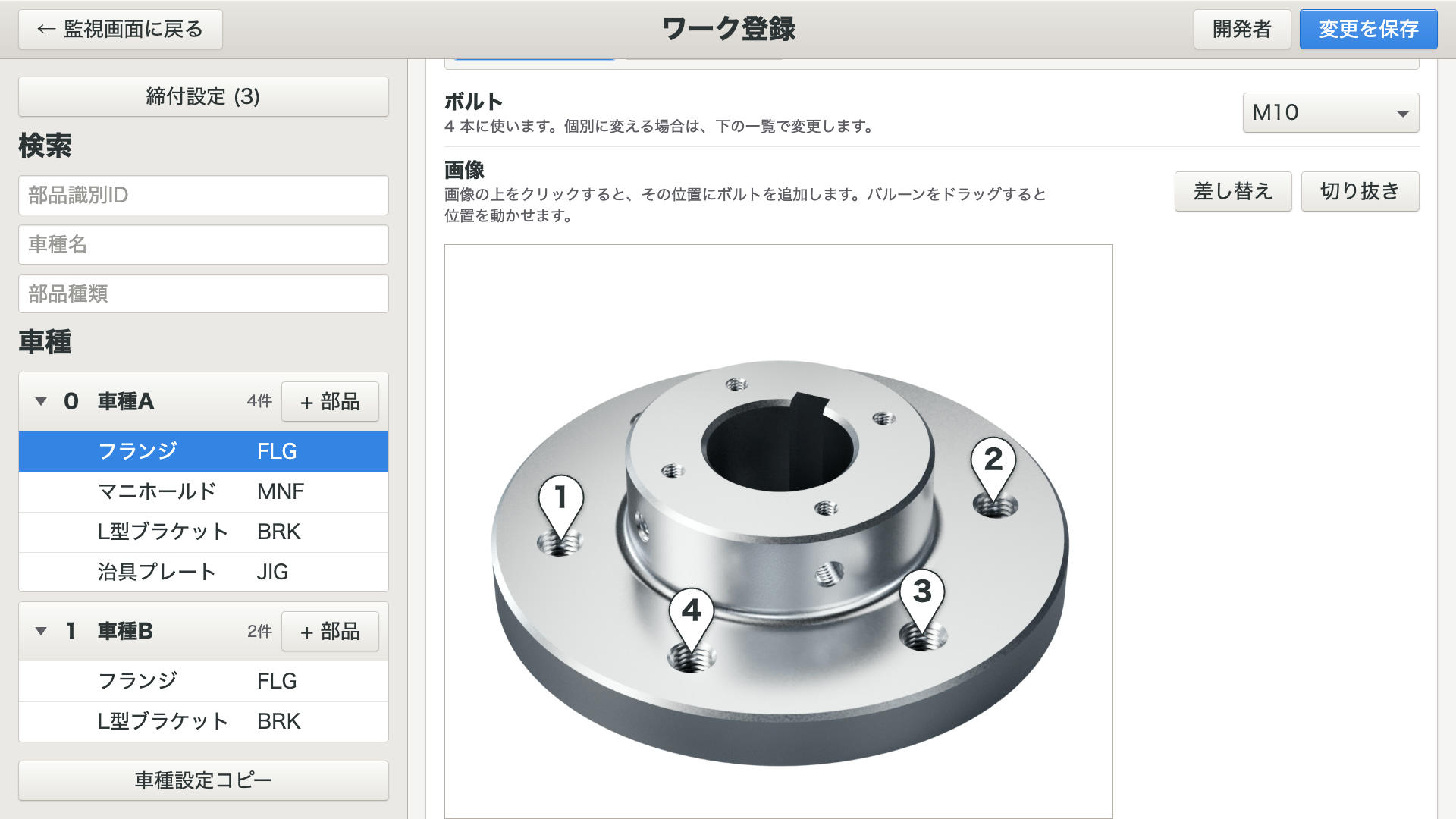
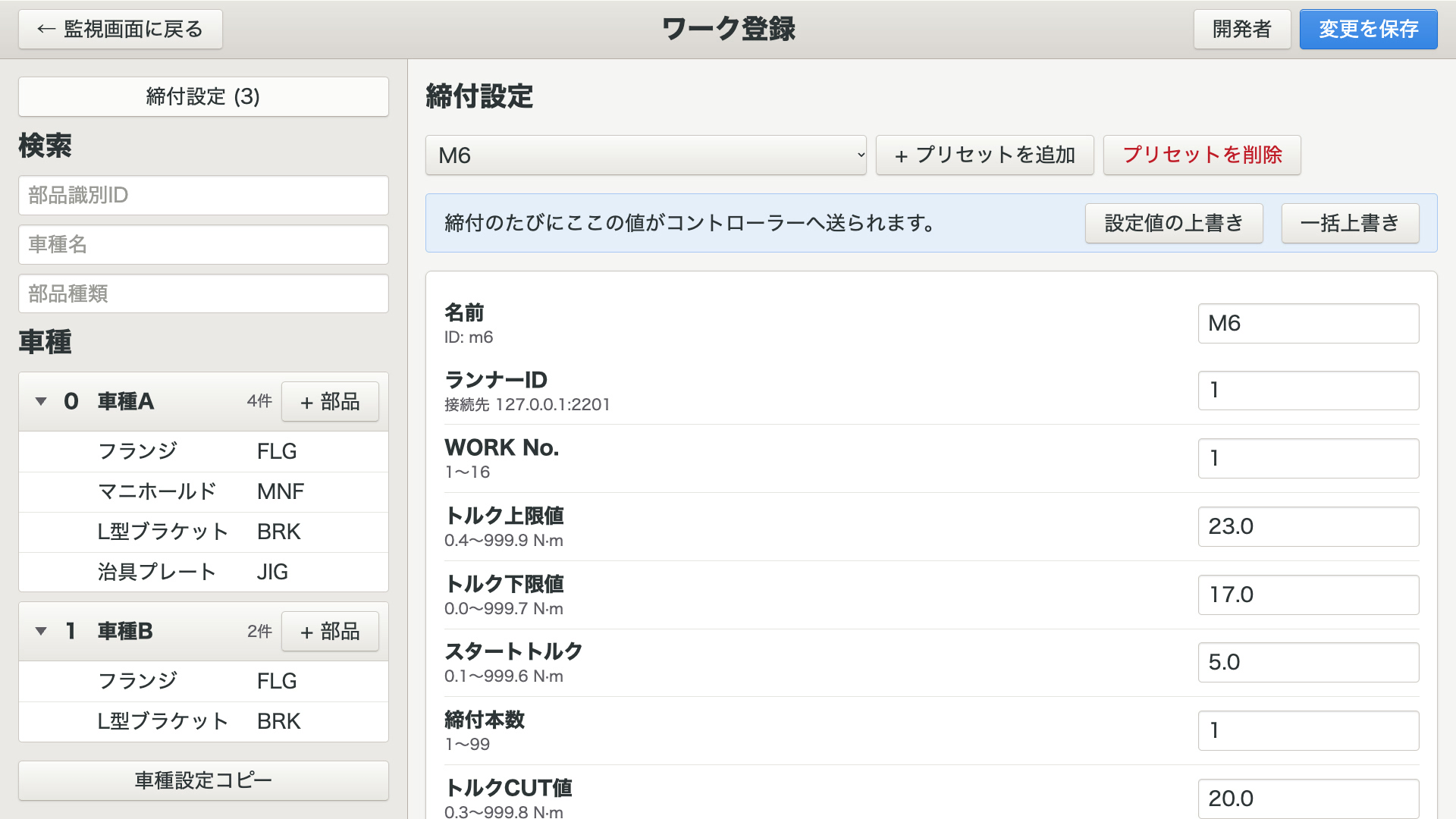
New workpieces are registered on screen. Click on the image to place the bolt positions, and set the upper and lower torque limits for each bolt size.
Example configuration and specifications
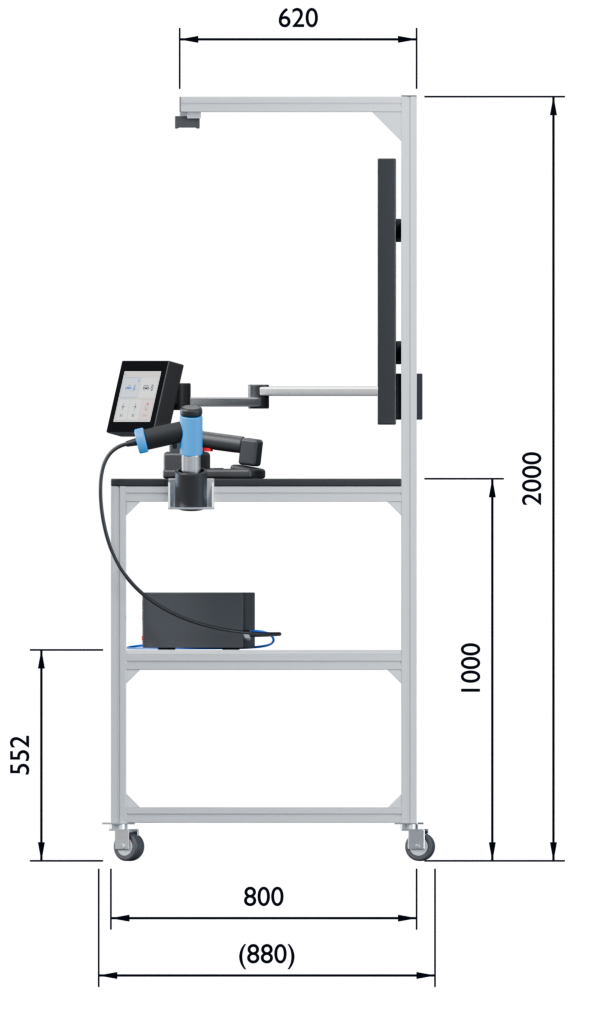
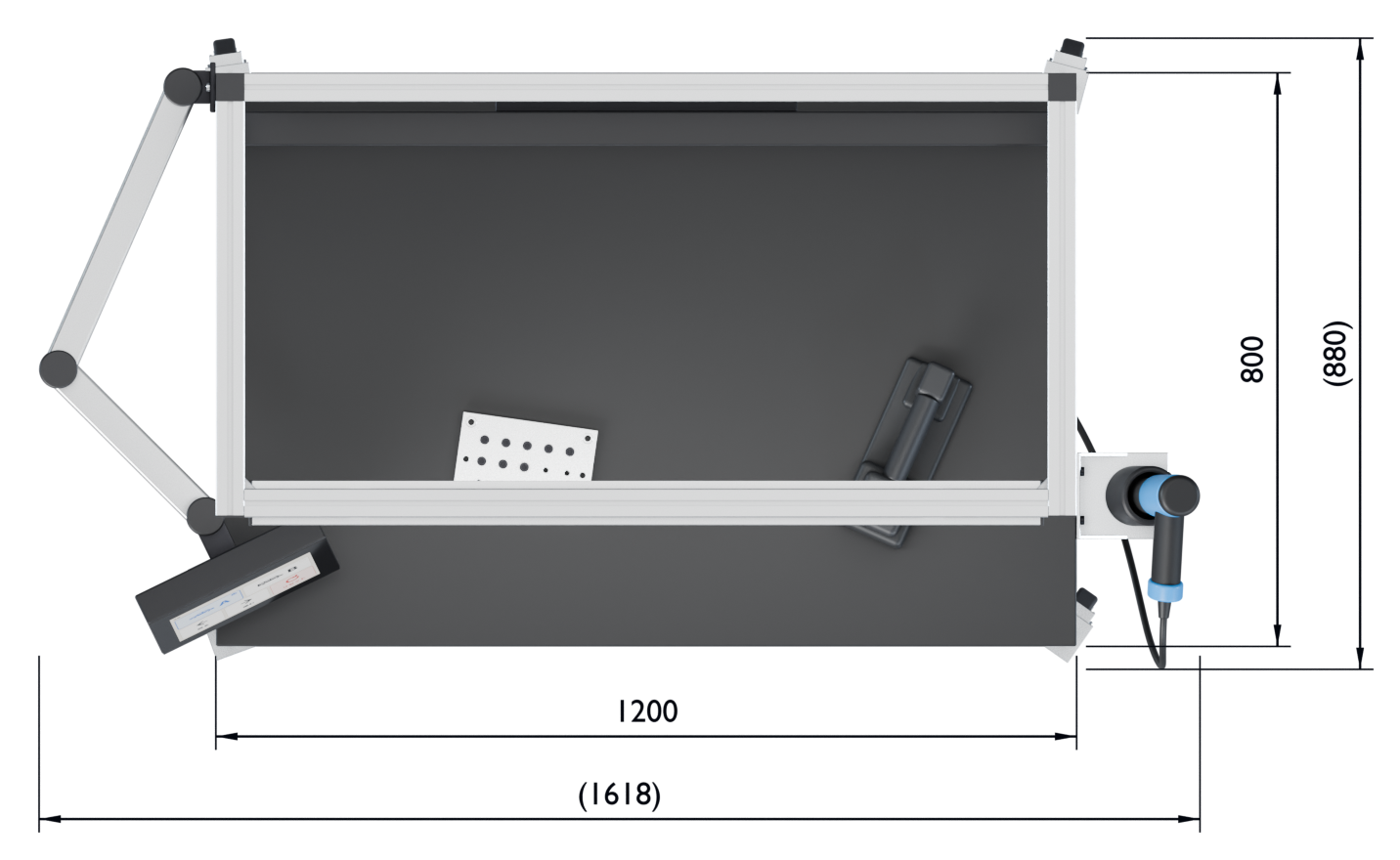
Dimensions (mm) are an example. They are changed to suit the worker’s height, the size of the workpiece and the installation site.
| Item | Details |
|---|---|
| Supported tools | Torque-controlled tools that can be driven from an external computer. Tools and controllers you already own can be used if they can communicate |
| Display and operation | Large monitor and touch panel. Multilingual display |
| Position detection | Camera and image recognition (OpenCV, VLM) |
| Records | Serial ID, worker ID, model, part type, judgment for each bolt |
| Code reading | Industrial code reader |
| Communication | Connections to host systems and existing equipment are designed individually |
| Options | Robotic tightening |
| Dimensions (example) | W 1200 × D 800 × H 2000 mm. Including mounted devices: W 1618 × D 880 mm |
| Price and lead time | Quoted once we understand the configuration |
| Service area | All of Japan. Please ask about overseas delivery |
| Design and fabrication | Mikawa Industry (Japan) |
Where it fits
01
Production engineering teams that want one supplier
Tools, controls, frames and site work are ordered separately, and coordination takes up time.
02
Manufacturers without dedicated production engineers
Customers ask for torque records, but no one in-house can write the specification.
03
High-mix, low-volume assembly lines
Frequent model changeovers, with manual tightening still in place. Prototypes, service parts, and assembly of construction, agricultural and industrial machinery.
04
Newly launched assembly processes
Processes such as batteries and EV components, where tightening records are tied to each unit.
05
Equipment trading companies and line builders
Those who want to hand over one tightening process, from design through site work.
Contact us
Knowing the workpiece, the number and size of bolts, the target torque, the tools you want to use and the records you want to keep speeds up our proposal. Price and lead time are quoted once we understand the configuration. We serve all of Japan; please ask about delivery overseas.